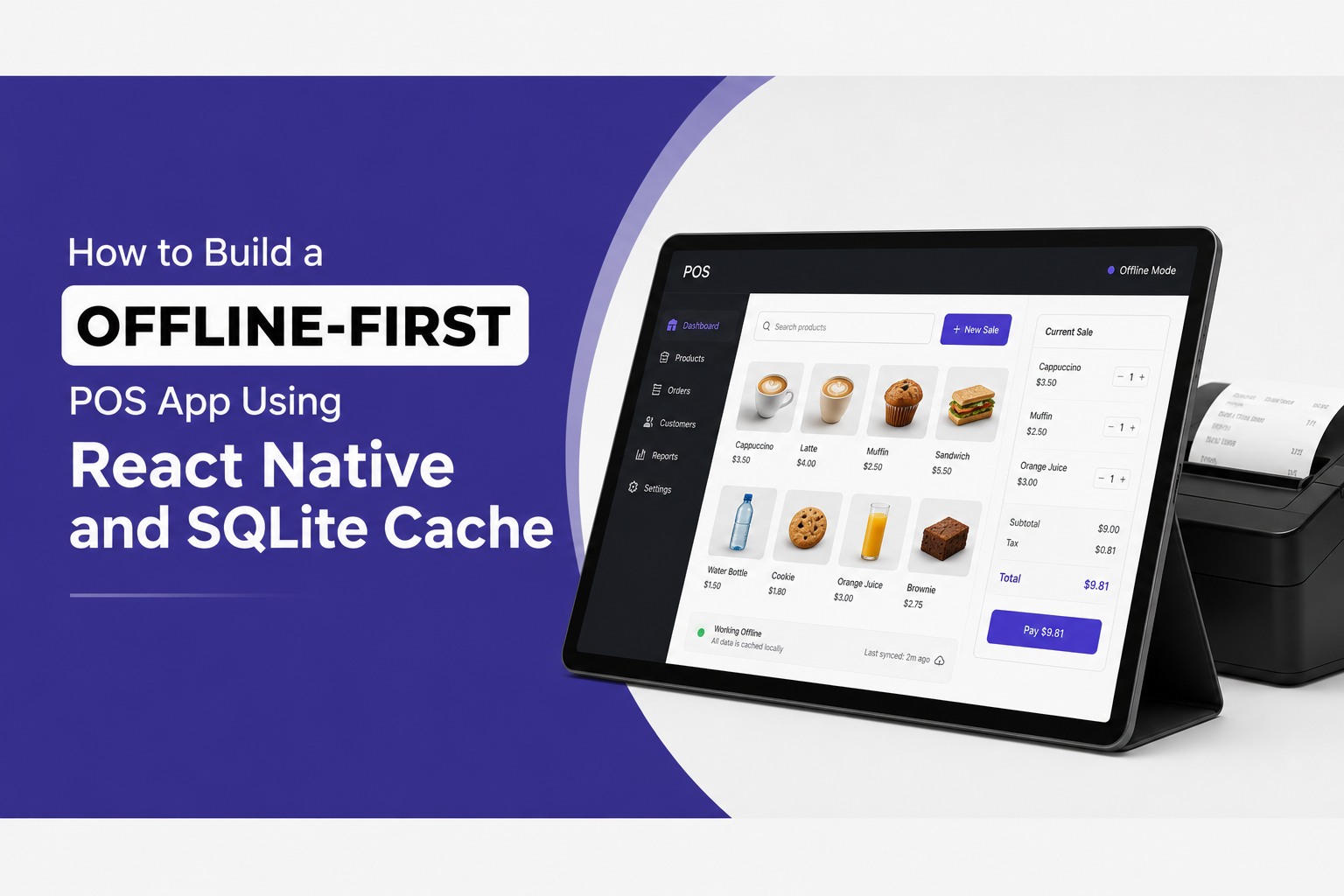
Your checkout portal just lost network. The customer's card is in the reader. The invoice is half-built. What happens next defines whether your POS system is actually production-ready — or just demo-ready.
Most POS apps built on React Native handle connectivity loss the same way: they break. A loading spinner appears, the transaction stalls, the customer gets frustrated, and the operator loses the sale. This is not a network problem. It is an architecture problem — and it is entirely solvable.
This guide is a deep dive into building a truly offline-first POS application using React Native and SQLite, covering the sync engine design, transaction handling, and background queue patterns that keep checkout portals alive through any network outage. If you are building commerce infrastructure that cannot afford to drop a single invoice, this is the architecture you need.
What "Offline-First" Actually Means
Offline-first does not mean "works when there is no internet." That is offline-capable. Offline-first means the local device is the source of truth by default, and the server is a sync target — not the other way around.
The distinction matters enormously in practice. In a server-first architecture, every action waits for a network round-trip to confirm before updating the UI. Lose the network, lose the app. In an offline-first architecture, every action writes to local storage immediately, the UI updates instantly, and the network sync happens asynchronously in the background whenever connectivity is available.
For a POS system, this means: the customer's invoice is created, the payment is processed, the receipt is generated, and the operator moves to the next transaction — all before a single byte reaches your backend.
When the network comes back, everything syncs. The customer never waits. The invoice never drops.
Why SQLite Is the Right Choice for React Native POS
React Native gives you several local storage options: AsyncStorage, MMKV, Realm, WatermelonDB, and direct SQLite via libraries like react-native-quick-sqlite or expo-sqlite. For a POS system, SQLite is the correct choice.
ACID Transactions
Every invoice write is atomic, consistent, isolated, and durable even if the app crashes mid-write.
Serverless Local Storage
SQLite runs entirely on-device with no server dependency, acting as your offline source of truth.
Write-Ahead Logging (WAL)
Keeps reads fast while writes are in progress, ensuring the UI remains responsive during sync.
Indexed Queries
Retrieve pending sync items, invoice history, and product catalogs in under a millisecond.
The recommended library for React Native in 2025 is react-native-quick-sqlite, which uses JSI (JavaScript Interface) bindings for synchronous SQLite access without the async bridge overhead of older solutions. For teams that want a higher-level ORM on top of SQLite, WatermelonDB is the most production-hardened option with built-in sync protocol support.
Database Schema Design for an Offline POS System
Before writing a single line of sync logic, the schema needs to be designed for offline-first from the start. Three principles govern this.
- Client-Generated UUIDs: Never rely on server-generated auto-increment IDs for offline records. The client creates the UUID at write time (e.g., using
nanoid) so the record has a stable identity immediately. - Sync Metadata Columns: At minimum, include
sync_status(pending, syncing, synced, conflict),created_at,updated_at, andserver_id(nullable until synced). - Soft Deletes: Never DELETE rows locally. Use a
deleted_attimestamp column so you can sync the deletion event properly to the server.
A minimal invoice table for an offline POS looks like this:
invoices ( id TEXT PRIMARY KEY, -- client UUIDserver_id TEXT, -- null until syncedcustomer_name TEXT, line_items TEXT, -- JSON blobtotal_amount REAL, payment_method TEXT, status TEXT, -- draft, completed, voidedsync_status TEXT DEFAULT 'pending', created_at INTEGER, updated_at INTEGER, deleted_at INTEGER )
SQLite Transaction Patterns for Invoice Writing
When a cashier completes a checkout, multiple database writes need to happen atomically: the invoice record, the line items, the payment record, and any inventory decrements. If any one of these fails mid-write, you cannot end up with a half-written invoice. This is what SQLite transactions are for.
Using react-native-quick-sqlite, a complete checkout write looks like this pattern:
const db = open({ name: 'pos.db' });const writeCheckout = (invoice, lineItems, payment) => {db.transaction((tx) => {tx.execute(`INSERT INTO invoices (id, server_id, customer_name, total_amount, payment_method, status, sync_status, created_at, updated_at) VALUES (?, NULL, ?, ?, ?, 'completed', 'pending', ?, ?)`, [invoice.id, invoice.customerName, invoice.totalAmount, invoice.paymentMethod, Date.now(), Date.now()] ); lineItems.forEach((item) => {tx.execute(`INSERT INTO line_items (id, invoice_id, product_id, quantity, unit_price, sync_status) VALUES (?, ?, ?, ?, ?, 'pending')`, [item.id, invoice.id, item.productId, item.quantity, item.unitPrice] );}); tx.execute(`INSERT INTO payments (id, invoice_id, amount, method, processed_at, sync_status) VALUES (?, ?, ?, ?, ?, 'pending')`, [payment.id, invoice.id, payment.amount, payment.method, Date.now(), 'pending'] );});};
The entire operation either commits fully or rolls back entirely. Enable WAL mode at database initialization to ensure writes never block reads:
db.execute('PRAGMA journal_mode=WAL;'); db.execute('PRAGMA synchronous=NORMAL;'); db.execute('PRAGMA cache_size=4000;');
Building the Background Sync Queue
The sync queue operates on a simple loop: poll for pending records, attempt to sync them in batches, mark successes as synced, handle failures with exponential backoff, and resolve conflicts.
Queue Architecture
Use React Native's NetInfo library to detect connectivity state changes to trigger a sync flush.
import NetInfo from '@react-native-community/netinfo'; NetInfo.addEventListener((state) => {if (state.isConnected && state.isInternetReachable) {syncQueue.flush();}});
Fetching Pending Records
const getPendingInvoices = () => {const result = db.execute(`SELECT * FROM invoices WHERE sync_status = 'pending' AND deleted_at IS NULL ORDER BY created_at ASC LIMIT 50`);return result.rows._array;};
Uploading in Batches
Never upload records one at a time. Batch them to reduce HTTP overhead.
const syncBatch = async (records) => {try {const response = await fetch('https://api.yourbackend.com/sync/invoices', {method: 'POST', headers: { 'Content-Type': 'application/json' }, body: JSON.stringify({ invoices: records }),});if (response.ok) {const { synced } = await response.json();markAsSynced(synced.map((r) => r.id));}} catch (error) {scheduleRetry(records);}};
Exponential Backoff for Failures
When a sync attempt fails, use exponential backoff to avoid hammering a recovering server.
const scheduleRetry = (records, attempt = 1) => {const delay = Math.min(1000 * Math.pow(2, attempt), 30000);setTimeout(() => syncBatch(records, attempt + 1), delay);};
Conflict Resolution: What Happens When the Same Record Is Edited on Two Devices
Multi-device POS deployments introduce conflicts: the same invoice edited at register one and register two while both were offline. When both sync, your backend receives two divergent versions of the same record.
The two most practical resolution strategies for POS systems are Last-Write-Wins and Server-Authority.
- Last-Write-Wins: Uses the updated_at timestamp. Whichever version has the later timestamp becomes canonical. Works well for notes or metadata.
- Server-Authority: The server always wins on conflict. Use this for sensitive records like payment amounts where local edits should never override server values.
Background Tasks: Keeping the Queue Alive When the App Is Closed
On iOS and Android, React Native apps are suspended when moved to the background, which means your sync queue stops running.
On Android, use react-native-background-fetch or a HeadlessJS task. On iOS, Background App Refresh triggers BGAppRefreshTask via expo-background-fetch. Supplement this by triggering a full sync flush every time the app comes to the foreground via the AppState API:
import { AppState } from 'react-native'; AppState.addEventListener('change', (nextState) => {if (nextState === 'active') {syncQueue.flush();}});
Testing Your Offline-First POS in Practice
An offline-first architecture is only as good as its test coverage of failure scenarios. The cases you must test explicitly are: complete network loss mid-transaction, app crash during a SQLite write, sync failure on a batch with mixed valid and invalid records, conflict arrival from a second device during active sync, and device storage full during a write attempt.
Why Zentica Agency Builds POS Infrastructure This Way
At Zentica Agency, we work with retail, hospitality, and hybrid DTC brands whose businesses run on uninterrupted transaction flow. Every POS system we build treats connectivity as a bonus, not a requirement.
The offline-first architecture described here is not experimental. It is the same pattern powering checkout portals in environments ranging from high-traffic retail locations with unreliable mall WiFi to outdoor markets with zero cell signal.
Conclusion: Build the Checkout Portal That Never Drops
A POS app that breaks when the network does is not a product. It is a prototype. Building offline-first from the architecture stage is what separates tools operators trust from tools operators dread.
Need a POS infrastructure partner who builds offline-first as a default?
Zentica Agency delivers production-grade React Native commerce systems for brands that cannot afford downtime. Let's talk.
Discuss Your POS Project